
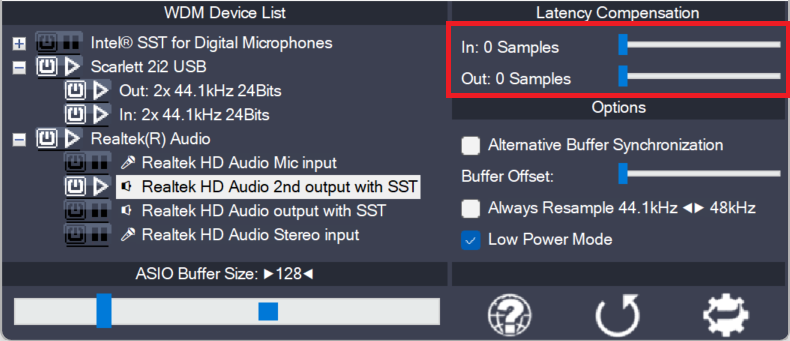
Since ASIO4ALL does not have sufficient knowledge of the underlying hardware/driver architecture, it can only guess the actual latencies involved. With these sliders you can compensate for the latencies unknown to ASIO4ALL such that recordings in your sequencer Software are properly aligned with the rest.
Note: In multi-device-setups the largest respective value of all devices will be used. Therefore, if different devices have different inherent latencies, audio placement will not be accurate for some devices!
Measuring actual round trip latency
You need an audio loopback setup and a measuring utility.
“Audio loopback” simply means to directly connect outputs and inputs with each other. Like this:
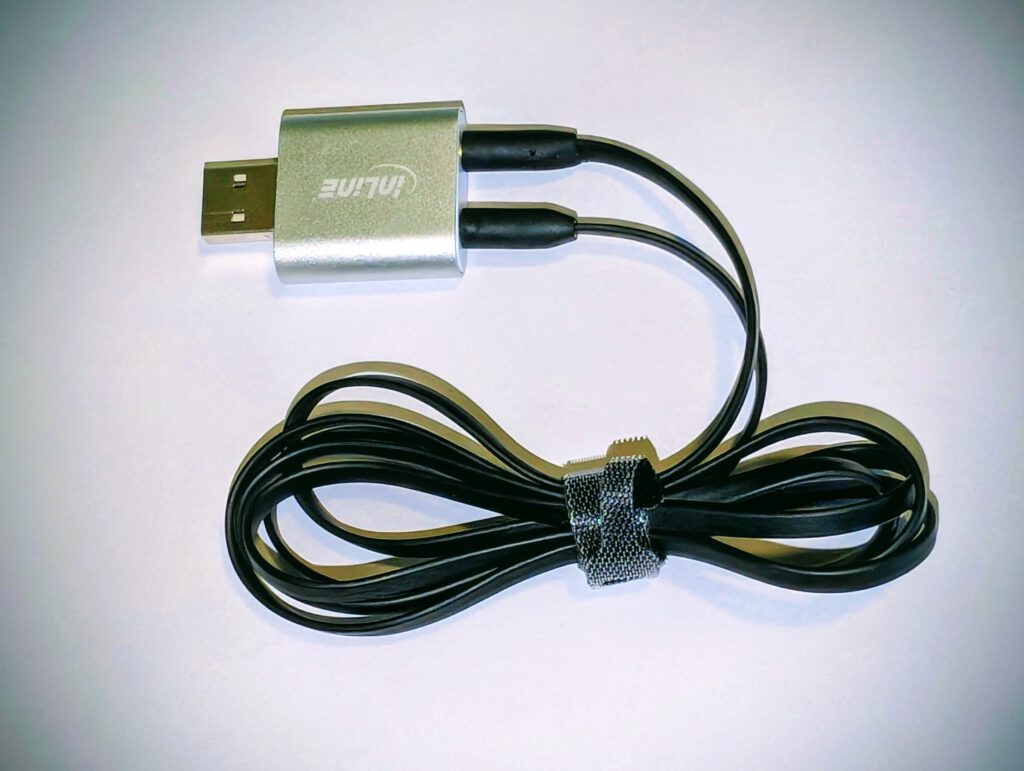
Next, get an utility to measure round trip latency.
Like this: https://oblique-audio.com/rtl-utility.php
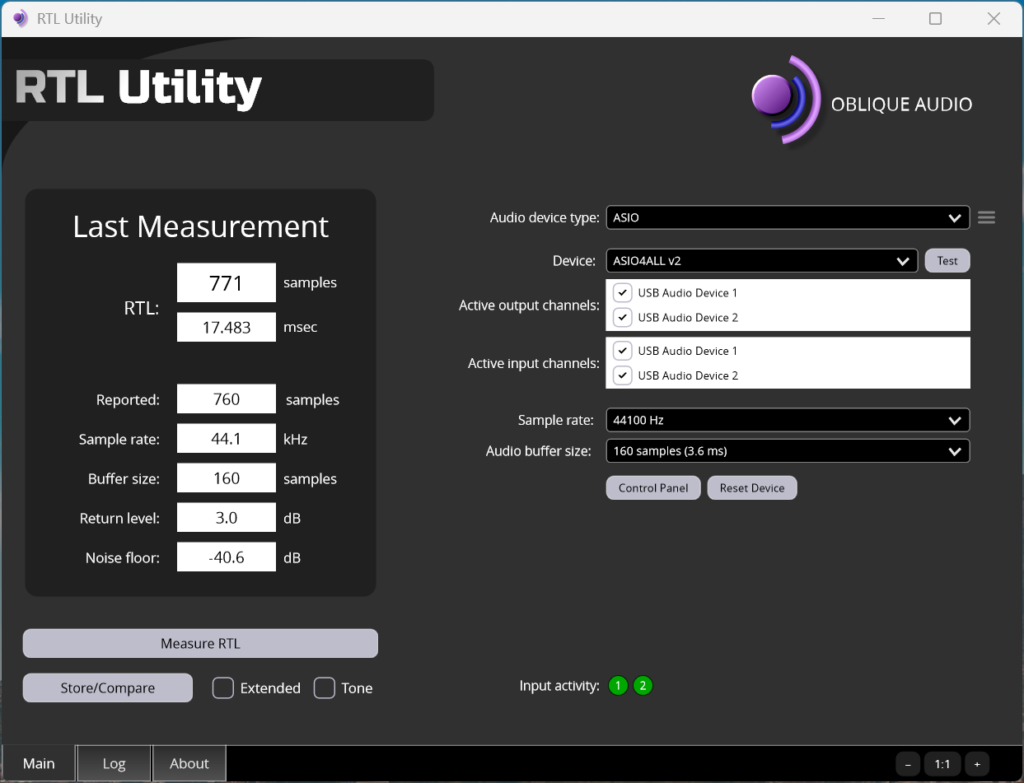
Compare reported and measured round trip latencies and adjust the compensation sliders accordingly!
The screen shows an actual measurment using the cheap USB audio dongle above. The utility also lets you compare the ASIO results against WASAPI (Windows Audio) Shared and Exclusive Mode. I encourage everyone claiming that ASIO4ALL was “just a wrapper for Windows audio”, to run that test!